

Easy access to your database with FileMaker® Pro, FileMaker Go®
- Login to the customer portal area and navigate to the details page of your product. If you don't know how to do this please go here first.
- Open the Group Start Page by clicking the button labeled "Group Start Page".
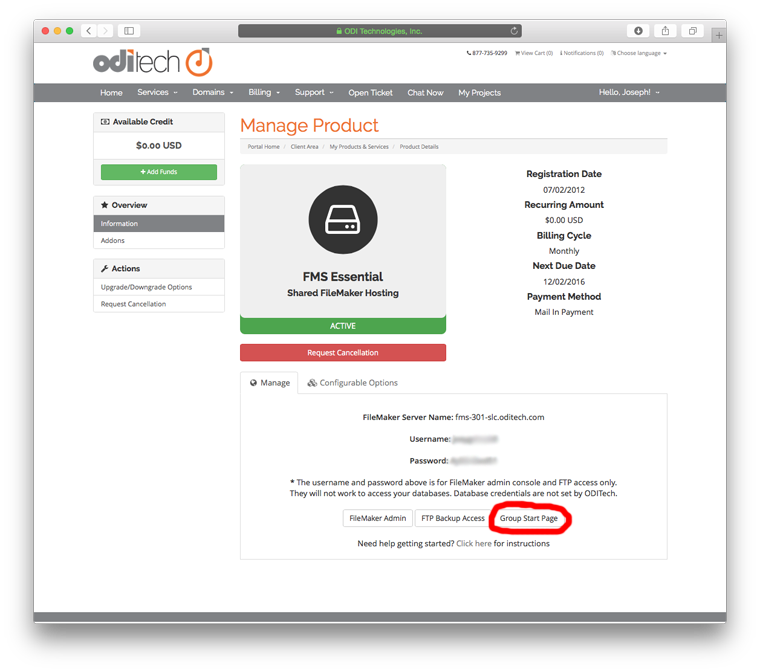
- A page should open showing you your available database(s) to open. Depending on the device you are connecting with and the access allowed in the security settings of the database you will see several buttons.

- To open your database with FileMaker Pro on the desktop select the "Pro" button.
- If you are on an iPad or iPhone and have FileMaker Go installed you will see the "Go" button.
